.png)

RocketRAID 600 HBA Series
RocketRAID 600 series HBA's are an ideal 6Gb/s SATA storage solution for any PC or Mac platform, and are available with 1 to 4 Mini-SAS/SATA/eSATA ports in internal and external configurations. The compact PCB design, available low-profile form factor and industry standard port connectors make any storage upgrade, integration or expansion project a snap.
RocketRAID 600 HBA's deliver HighPoint's Industry-proven RAID Technology, and a comprehensive RAID Management Suite. Customers can quickly and easily configure a wide-range of storage configurations, including RAID 0, 1, 5, 10 and JBOD arrays.
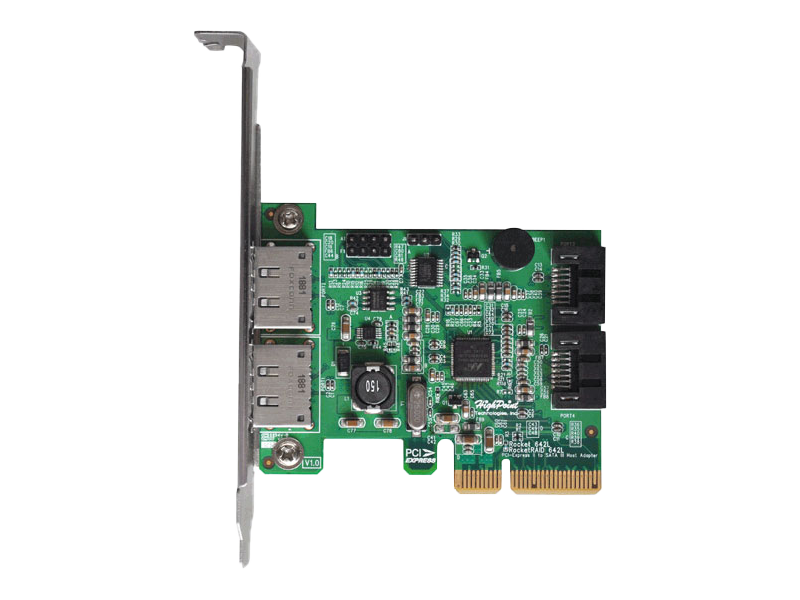
HighPoint's 2nd generation RocketRAID 600L series introduce a new Hybrid-Port configuration. The RocketRAID 642L HBA features both internal and external 6Gb/s SATA ports and is an ideal HBA platform for applications that require built-in storage expansion capabilities. Both sets of ports provide direct connections for up to 2 SATA hard drives and SSD's.

Specifications
Hardware Features | RocketRAID 640L | RocketRAID 642L |
Port Type | 4x SATA | 2x SATA / 2x eSATA |
Number of Channels / Ports | 4x 6Gb/s SATA Channels | 4x 6Gb/s SATA Channels |
Number of Devices | 4x SATA Hard Drives / SSDs | 4x SATA Hard Drives / SSDs |
Host Interface | PCIe 2.0 x4 (x2 electrical) | PCIe 2.0 x4 (x2 electrical) |
Form Factor | Low profile | Low profile |
Controller Dimensions | 3.15''(W)*2.56''(H)*0.45''(D) | 3.15''(W)*2.56''(H)*0.45''(D) |
Weight (Retail Box) | 0.49lbs | 0.56 lbs. |
RAID Mode | 0, 1, 5, 10, 50, JBOD / Non-RAID Mode | 0, 1, 5, 10, 50, JBOD / Non-RAID Mode |
Operating System Support | ||
Driver embedded into FreeBSD 9.0 and later | Driver embedded into FreeBSD 9.0 and later | |
Windows | Windows 11, 10, 8, 7 Windows Server 2022, 2019, 2016, 2012 R2 Only supports 64 bit operating system. | Windows 11, 10, 8, 7 Windows Server 2022, 2019, 2016, 2012 R2 Only supports 64 bit operating system. |
Download
Model | RocketRAID 640L | RocketRAID 642L |
|---|---|---|
UEFI HII | Download | Download |
RAID BIOS | Download | Download |
Quick BIOS | Download | N/A |
Windows | ||
Windows RAID Management | Download | Download |
Windows Driver 10/11/ Server 2016/2019/2022 (Support Secure Boot Enable & Disable) | Download | Download |
Linux | ||
WebGUI - RAID Management Interface (Including CLI) (Support Secure Boot Disable) | Download | Download |
Data RAID-Linux Open Source Driver (Support Secure Boot Disable) | Download | Download |
Mac | ||
WebGUI - RAID Management Interface | Download | Download |
Intel/M1 platform – macOS 10.12 and later | Download | Download |
Documentation
Compatibility Document | |
Compatibility list | Download |
User Guides | |
Quick Installation Guide(RocketRAID 640L/642L) | Download |
Quick Installation Guide(RocketRAID 640L/642L) | Download |
Quick Installation Guide(RocketRAID 620) | Download |
Datasheet(RocketRAID 600 Series) | Download |
Windows 10 Quick Installation Guide | Download |
BootRAID Install Guide(Windows) - RocketRAID 640L/642L | Download |
Mac Driver Manual (RR640L) | Download |
Mac Driver Manual (RR642L) | Download |
HPT CLI Guide | Download |
Gallery
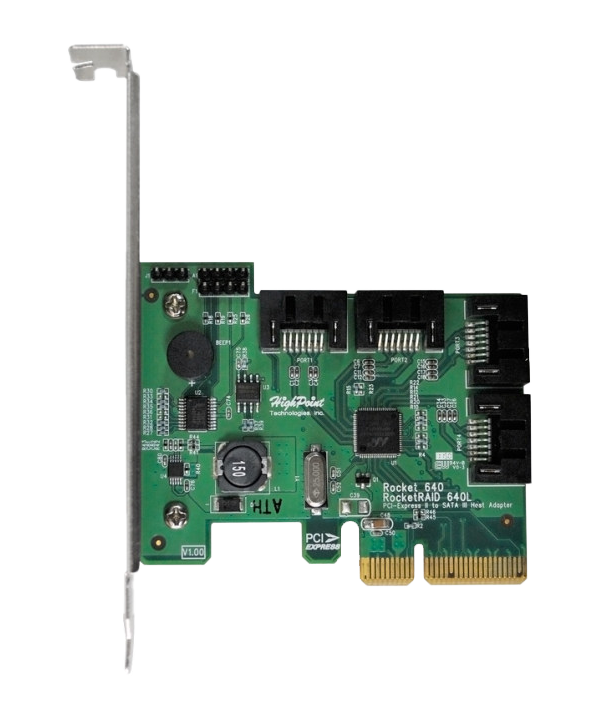
RocketRAID 640L


RocketRAID 642L


Product Support
FAQ
Q1: Why does the motherboard BIOS report an “Out of memory” error when more than one product is installed?
Q2: Why can't I see the estimated completion time when Rebuilding, Initializing or Verifying a RAID array using the BIOS utility?
Q3: Why does the alarm not sound when a disk fails or is suddenly removed while using the BIOS or UEFI/CLI/HII utilities?