
NVMe RAID Solutions for Hyper-V Virtualization Platforms
Updated: Sep 21, 2022
Hyper-V is a Microsoft hardware virtualization solution (AKA Virtual Machine platform). Designed primarily for use with clients that require Windows-based systems, Hyper V enables an administrator to install multiple, distinct instances of an operating system (known as Virtual Machine, or VM for short) to a central server, which the clients can then access via a Cloud Service. Hyper-V enables each VM to emulate the functions of a physical computing system (such as a business laptop running Windows 11, or media workstation running Windows 10).
Our VDI applications article covers virtualization solutions in more detail
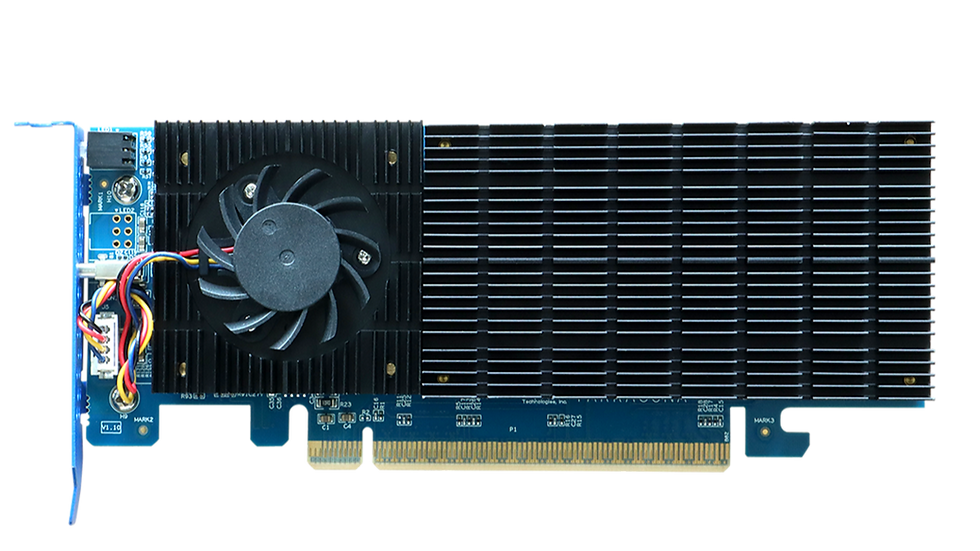
BRD6200 Series: Ideal NVMe RAID Storage for VM Platforms
FnL BRD6200 AIC drives are natively supported by all major VM platforms, including Microsoft Hyper-V. The built-in boot capability, driverless installation and an IOP RAID engine with integrated RAID 0 and 1 support are ideal features for virtualization solutions.

FnL BRD6200 Series NVMe AIC RAID drives are available with up to 16TB of storage capacity, which can easily host a large number of Virtual Machines installations and software suites required to emulate a wide range of hardware platforms.
In addition, BRD6200AIC drives are capable of delivering excellent random I/O performance, especially when equipped with DC-Class M.2 SSD’s.
To illustrate this, we tested the BRD6202PB with a Hyper-V server hosting three Windows 10 VMs, and one Ubuntu Server VM.
Each Windows VM was benchmarked using CrystalDiskMark 64. FIO was used to benchmark the Ubuntu VM. The BRD6202PB AIC Drive was configured as RAID 0 arrays in order to maximize transfer throughput.
Test Platform: Samsung 980PRO 1TB (2x configured as RAID 0) / ASUS WS X299 (Intel(R) Core(TM) i9-7900X CPU @3.30GHz / 32GB)
BRD6202 (Single VM Performance)


BRD6202: (All 4 VMs operating simultaneously)

As shown above, both sequential and random performance results were strong, even when all four VM’s were running simultaneously.

The driverless installation and built-in boot capability on the BRD6200 are the details that caught my attention — those are exactly the little friction points that make or break a Hyper-V deployment when you're provisioning multiple VMs. I'm curious how the random I/O held up once you pushed past those three test VMs, since that's usually where consumer-grade storage starts to fall apart. Speaking of things that don't respond well under load, I've had screenshots of my VM console come out so compressed they're basically unreadable. On a related note, when I need to mock up a "bad connection" scenario for training docs, I've used a low quality picture maker to deliberately degrade the screenshots — way easier than trying…
I was looking for a new gaming app when I found this platform. Before beginning the download, I checked the official website to understand how everything was arranged. The register option was easy to follow, and login was available without any confusion. Once I entered the platform, I explored a few games and checked different categories. The overall interface felt straightforward, which made it easier to move around and discover the available options.
Tiranga Game Login