.png)
Looking for a GURANTEED 20Gb/s USB to NVMe Solution?
20Gb/s USB technology is still fairly new, and most systems have yet to incorporate USB 3.2 Gen2x2 connectivity. Systems with built-in USB 3.2 Gen2x2 support are extremely expensive, and Intel-exclusive. To make matters worse, AMD users are plain out of luck; AMD has yet to integrate USB 3.2 Gen2x2 controllers into their platforms.
However, do-it-yourselfers don’t have to wait for the market to catch up. HighPoint has introduced a true 20Gb/s USB to NVMe storage solution for PC-based workstations and servers.
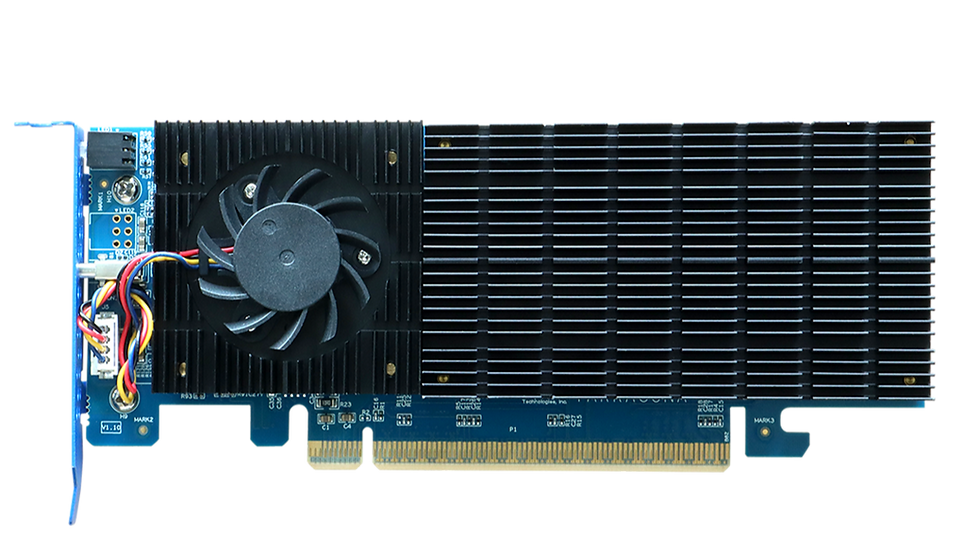
The RM110-120P bundles our new 20Gb/s USB to NVMe Enclosure, RocketMate 110 and our new USB controller, RocketU 1411C. This bundle allows you to add a USB 3.2 Gen2x2 port on any system as long as there is an open PCIe 3.0 x4 slot and deliver true host-to-device 20Gb/s connectivity.
The controller can be easily installed into any PC system with a free PCIe 3.0 x4 port, and can support just about any USB device with a Type-C port. The RocketMate 110 supports any off the shelf M.2 NVMe SSD (2242/2260/2280 for factors) and has zero capacity limitations.
RocketU 1411C
The RocketU 1411C is the fastest single-port USB controller that can be easily added to any PCIe Gen3 or Gen4 platform. The RocketU 1411C delivers uncompromised host to device 20Gb/s USB 3.2 bandwidth.
How to use RM110-120P
1. Find an open PCIe 3.0 x4 slot on your motherboard
2. Connect RocketU 1411C to PCIe slot
3. Connect RocketMate 110 to RocketU 1411C
Works with:
· Windows 11/10, Windows Server 2022/2019/2016, Hyper-V
· Linux kernel v3.10 and later
RM110 Performance video

https://www.mayamahajan.com/ nice one!!!!